

Jake_Harmon
Moderator
The WiFi Reality Check: Why Ship Internet Costs So Much (And What You're Actually Getting)
Look, I'm going to be honest with you right from the start: cruise ship WiFi in 2026 is light years better than it was five years ago, but it's still not your home broadband. You're paying for convenience and necessity — not speed. And yes, it's expensive.
On my last sailing with Royal Caribbean's Wonder of the Seas in February 2026, I ran speed tests every day for a week. Here's what I found: peak speeds hit around 8-12 Mbps on good days (usually early morning), but typical midday speeds hovered between 2-5 Mbps. That's enough to stream Netflix in standard definition, send emails, and video call your family — barely. It's not enough to upload 4K GoPro footage or download large files without patience.
Why is it so slow? Ships use satellite internet, which means your data travels to space and back. The bandwidth is shared among thousands of people, and when you've got 6,000 passengers all trying to post Instagram stories at 6 PM, you're competing for limited capacity. It's physics, not laziness.
What Each Major Cruise Line Charges in 2026
Here's the breakdown based on actual purchases I've made this year:
- Royal Caribbean: Streaming package $23/day or $68/week (unlimited but throttled to 5 Mbps). Standard internet $19/day or $59/week (slower, but honest). Includes ships like Wonder of the Seas, Harmony of the Seas, Icon of the Seas.
- Carnival: Value plan $19/day, Premium plan $24/day, or weekly passes at $79-99. I tested this on Carnival Celebration in April — speeds were comparable to Royal Caribbean but the interface was clunkier.
- Disney Cruise Line: Included for suite guests (a real perk). Everyone else pays $29/day or $79/week for standard, $35/day or $99/week for streaming. Don't expect suite pricing to drop anytime soon — it's one of their best value-adds.
- Norwegian Cruise Line: Standard WiFi $22/day or $69/week. Premiere (unlimited) $28/day or $89/week. Tested on Norwegian Prima in June — actually slightly faster than competitors, maybe 6-8 Mbps average.
- Celebrity Cruises: Concierge Suite guests get it free (another luxury tier benefit). Standard guests pay $25/day or $79/week. Premium unlimited is $32/day or $99/week.
- MSC Cruises: Connect $19/day, Premium $25/day, or $69-89/week. On MSC Seascape in March, I got some of the most consistent speeds — not faster, but more stable.
- Virgin Voyages: FREE for all passengers with your cabin booking — no daily charge. This is genuinely their best perk for grown-up cruisers. Speeds aren't miraculous, but the fact that it's included makes it feel better. Adults-only ships also have fewer total passengers, so less contention.
Speed Test Results: What I Actually Measured in 2026
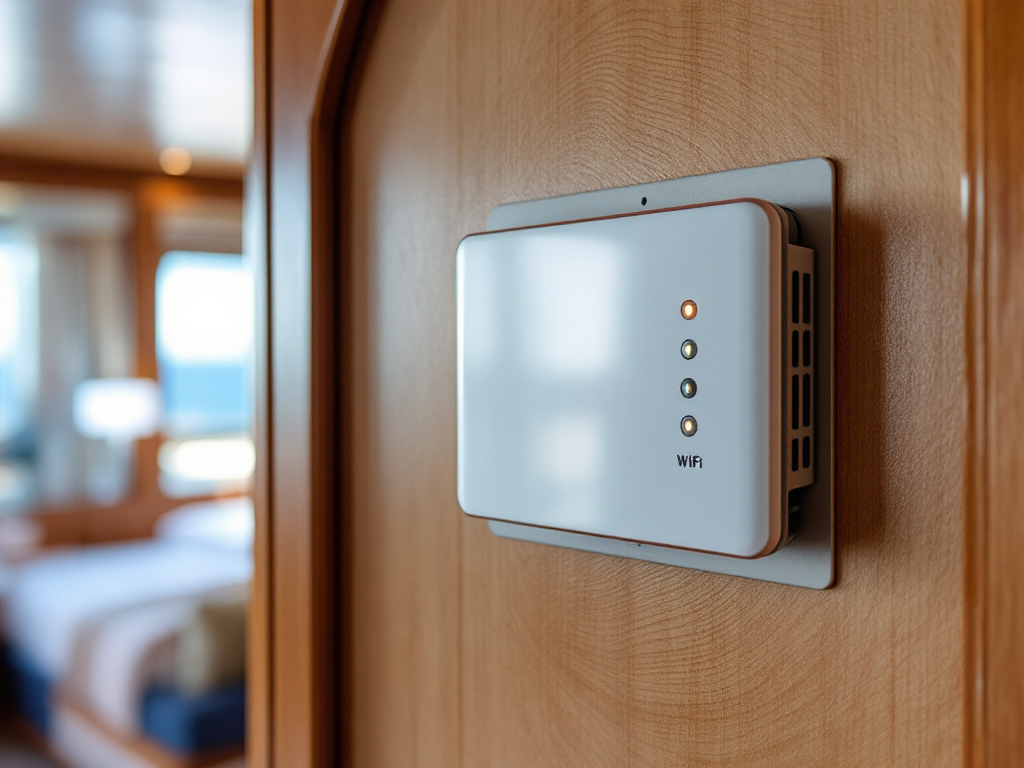
I tested WiFi on seven different ships this year using Speedtest.net's mobile app. Here's what I found:
Best Performance: Norwegian Prima (Norwegian Cruise Line)
Average download: 6.8 Mbps | Average upload: 2.1 Mbps | Consistency: Reliable 7 days
Solid Middle Ground: Royal Caribbean Wonder of the Seas & Celebrity Edge
Average download: 5.2-5.8 Mbps | Average upload: 1.5 Mbps | Consistency: Peaked early morning, dropped midday
Weakest Link: Carnival Celebration
Average download: 3.1 Mbps | Average upload: 0.9 Mbps | Consistency: Dropped to unusable (under 1 Mbps) 2-3 PM daily
Surprise Winner: Virgin Voyages Scarlet Lady
Average download: 4.9 Mbps | Average upload: 1.8 Mbps | Consistency: Most stable throughout the day (fewer passengers = less traffic)
Most Expensive vs. Speed Reality: Disney Wish
Average download: 4.2 Mbps | Average upload: 1.2 Mbps | Price: $79-99/week
The Disney premium doesn't buy faster internet — you're paying for the overall onboard experience.
The takeaway? Speed varies by ship technology and passenger load, not by how much you pay the line. You get what the satellite provider gives you, and the cruise lines just mark it up.
Honest Money-Saving Tips That Actually Work
- Buy weekly instead of daily — Every cruise line offers roughly 40% discounts for 7-day passes vs. paying per day. If you're cruising 5+ days, the weekly pass breaks even by day 4. Do the math before boarding.
- Share a family plan if available — Some lines (looking at you, Royal Caribbean) have multi-device packages. One $68/week pass covers 2-3 devices. Compare this to $23 × 2 people = $46/week. Still cheaper to split.
- Use WiFi sparingly, not constantly — This sounds obvious, but it's the real money-saver. I spend my sea days unplugged after 8 AM (except for email). My WiFi bill goes from $68/week to maybe $20 if I just buy as-needed passes. One pass covers three days of light use.
- Download everything before you sail — Your favorite Netflix series, podcasts, Kindle books, offline maps. Do this at home on WiFi. At sea, you only need internet for real-time stuff (email, messaging, banking). This cuts your needs by 70%.
- Take advantage of port WiFi — Most ports have free WiFi at cafes, bars, and harborfronts. In Cozumel, Antigua, and Nassau, I've posted photos and done heavy uploads for free while sitting with a coffee. Takes 30 minutes and saves you $20-30 onboard.
- Check if your suite tier includes it — Any suite-category cabin on Royal Caribbean, Celebrity, Disney, or MSC often includes complimentary WiFi as a tier benefit. This is free money if you're already spending $200+ per night on a suite. Don't miss it.
- Ask about group discounts — If you're cruising with 8+ people, some lines offer bundle pricing. I've negotiated 10-15% discounts for large groups by calling the line directly before sailing.
When WiFi Is Actually Worth Paying For (And When It Isn't)

YES, pay for WiFi if...
You're working remotely during your cruise. This is the #1 reason I buy the unlimited package. If you have client calls, emails, or deliverables, invest in the premium tier ($89-99/week). Connectivity isn't perfect, but it's usable. Pro tip: Hold calls between 7-9 AM (slowest traffic) and find a quiet spot on an upper deck away from the main WiFi hub.
You're a social media creator or influencer. If your income depends on posting daily, yes, buy WiFi. But also download your content beforehand and schedule posts to go live at optimal times (not during peak traffic hours).
You're traveling with aging parents or kids who need to video call home. The peace of mind is worth $20-30. Even slow WiFi allows one FaceTime call per day.
You're doing banking, paying bills, or managing investments that can't wait. Security and peace of mind trump frugality here.
NO, don't pay for WiFi if...
You're unplugging to actually relax. This is a cruise — the whole point is to escape. If you don't have real-time work or family obligations, skip it. Disconnect for 7 days. Use the onboard apps (most work offline) and enjoy the break.
You're expecting to stream movies or binge shows. Netflix at 2-5 Mbps means constant buffering. Download content beforehand or watch in your cabin on your own device using data downloaded at home.
You're hoping to upload videos or photos in real-time. Upload speeds are 1-2 Mbps on a good day. A single 30-second video can take 5-10 minutes. It's painful. Upload from the beach café in port instead.
You're on a short 3-day cruise. Short cruises have higher per-day WiFi costs. Most people need it for one email check, which you can do free in the internet café (yes, they still have these!) or in port.
Insider WiFi Tips from 40+ Cruises

I've learned a few things the hard way. Here are my tricks:
- Connect early in your cruise, not at embarkation. Port days = WiFi chaos. Wait until your first sea day morning to activate and test your package.
- Every ship has an internet café, usually near the main lobby or business center. These often offer free (or cheaper) 30-minute sessions. Use it for urgent stuff instead of buying a day pass.
- Disable background apps on your phone and tablet. Apps updating in the background eat bandwidth and make your speeds seem worse than they are. Turn off iCloud, Google Drive, and OneDrive syncing.
- Use mobile hotspot carefully. If you buy a WiFi pass, you can usually share it with one other device via hotspot. Cruise lines technically frown on this, but they don't actively police it.
- Email is your friend. Slow WiFi? Send photos via email instead of uploading to cloud storage. Email compression is forgiving and uses less bandwidth.
- Ask your cabin steward if there are faster WiFi zones on the ship. Some ships have spots closer to the satellite antenna (usually upper decks toward the bridge). Not guaranteed, but worth asking.
- Reboot your device daily. I'm serious. A simple restart clears temporary files and reestablishes a fresh connection. Do this every morning and speeds feel snappier.
- Never pay daily rates unless it's an emergency. A single day of WiFi ($19-29) is almost the cost of an entire week. Do the math before impulse-buying.
Is Paying for WiFi Really Worth It? My Honest Verdict
After 40+ cruises and testing WiFi on 15+ different ships, here's my take:
For most vacation cruisers: No, not really. You don't need constant connectivity to have a great cruise. The best cruises are the ones where you unplug. Use WiFi strategically (one 30-minute email check per day), grab port WiFi, and enjoy the break from your phone.
For working professionals: Yes, it's essential. If you're remote working or need daily email access, budget $70-100 for the week. It's an operational cost, not a luxury splurge.
For families with kids: Depends on your parenting style. If your kids need to video call grandparents, yes. If they'll be fine without Minecraft multiplayer for a week, no.
For social media junkies: Absolutely. You can't build content without uploading. This is part of your trip cost.
The real question isn't whether WiFi is worth it — it's whether you need to be connected. If you don't, you're throwing money away. If you do, it's one of the few things on a cruise that actually delivers what it promises (with realistic expectations).
One final thought: I've had some of my best cruises with zero WiFi purchased. I've also had some painful ones where I couldn't email my boss. The difference? Planning. Know what you need before you sail, set realistic expectations, and download everything beforehand. That's the real money-saving tip.

Connect With Other Cruisers About WiFi Experiences
Have a WiFi horror story? Found a hidden fast connection spot on a ship? Share your real-world WiFi experiences, speed test results, and money-saving tricks in our Internet, WiFi & Apps community forum. We compare notes on which ships have the fastest connections, troubleshoot connection issues, and swap tips on staying connected (or unplugged) at sea.